MALAMBI MOBILECLIENT · ANDROID / iOS
Your fleet.
Wherever you are.
From the office to the field, keep your vehicles, journeys and onboard cameras close. The mobile companion to your Malambi platform.
Features depend on your account permissions, installed equipment and connectivity.
Explore the web platform ↗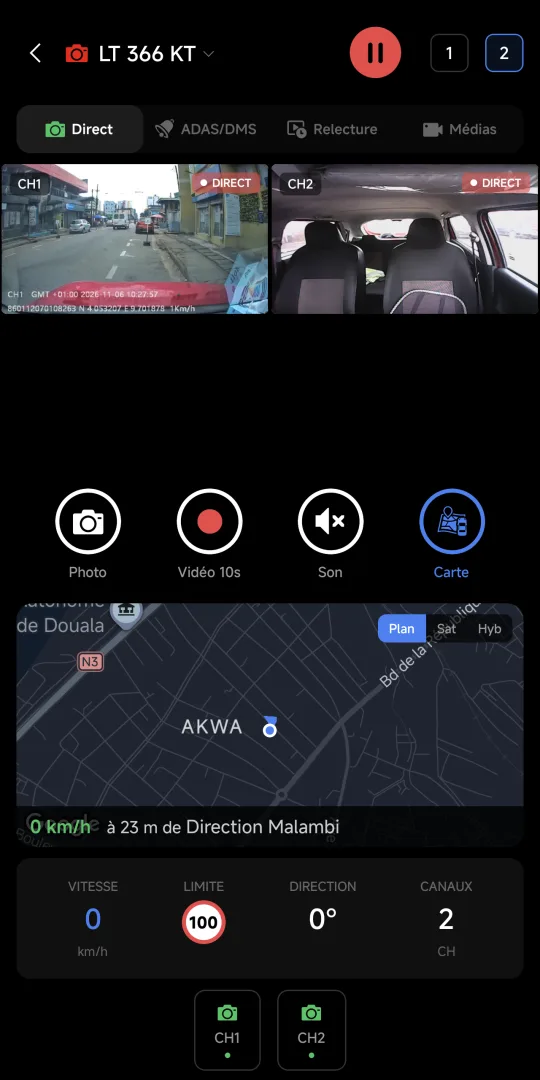
01 / GPS
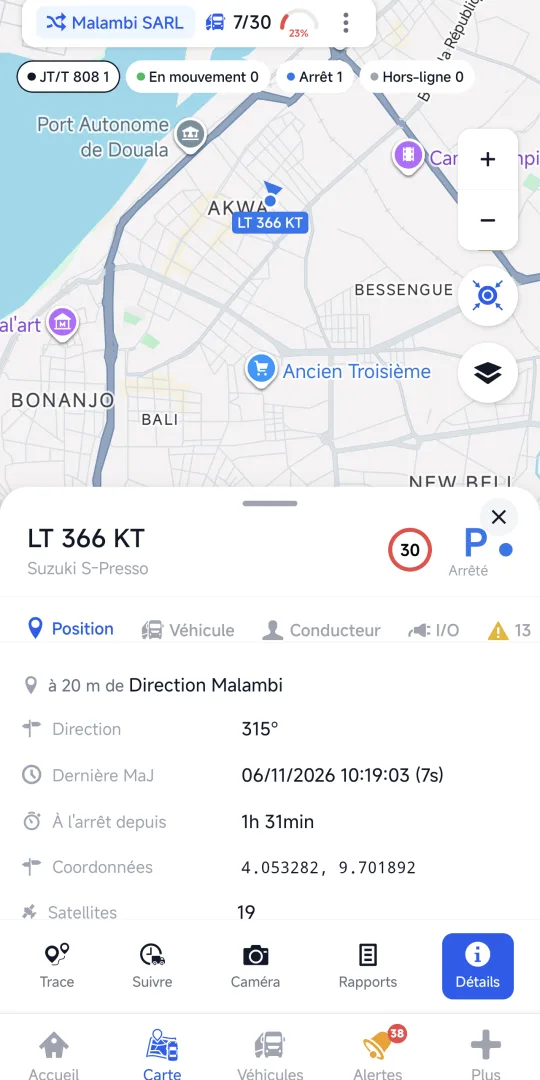
Know where your vehicles are.
Find each vehicle on the map and see its latest available position. Move from the fleet overview to the vehicle you need.
- Vehicle map
- Latest available position
- Vehicle details
02 / HISTORY
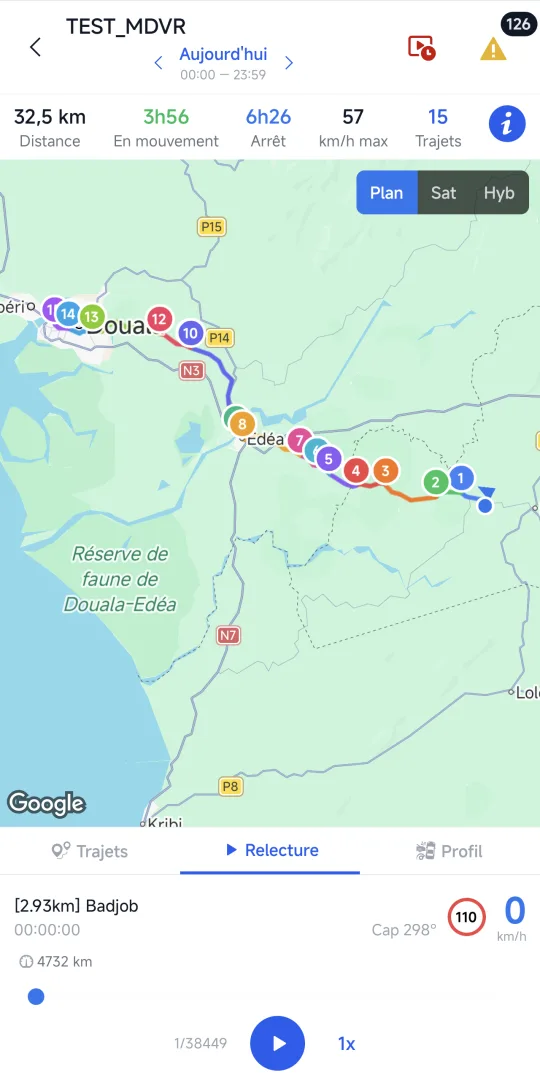
Retrace the day.
Replay recorded journeys and identify stops, with available distance and journey time information.
- Recorded journeys
- Stops along the route
- Journey context
03 / VIDEO
See the road. And the cabin.
On compatible camera-equipped vehicles, view camera channels and access available recordings to understand an event.
- Road and cabin views
- Available video recordings
- Vehicle location alongside the images
ANDROID / iOS
Your next step starts here.
- Android: download Malambi MobileClient from Google Play.
- iPhone: open the TestFlight invitation and follow Apple’s instructions. This is a beta version, not a public App Store release.
- Sign in with your Malambi account. To activate access for your fleet, contact our team.
Before you start
Do I need a Malambi account?
Yes. Access to vehicles and features depends on your account and permissions.
Can I view cameras on every vehicle?
Video requires compatible onboard cameras, available recordings where applicable and a network connection.
Is the iPhone version on the App Store?
The link currently opens TestFlight, Apple’s beta distribution service. Follow the invitation to check availability.